Markdown, properly.
A native-feeling Markdown editor that takes typography, AI, and the speed of cold-start seriously. Typora-class WYSIWYG. Cursor-style ghost text. A vault-aware AI that can chat about your notes — or rewrite them.
macOS · Windows · Linux · USD 24.99 once · 30-day trial · viewer mode free forever
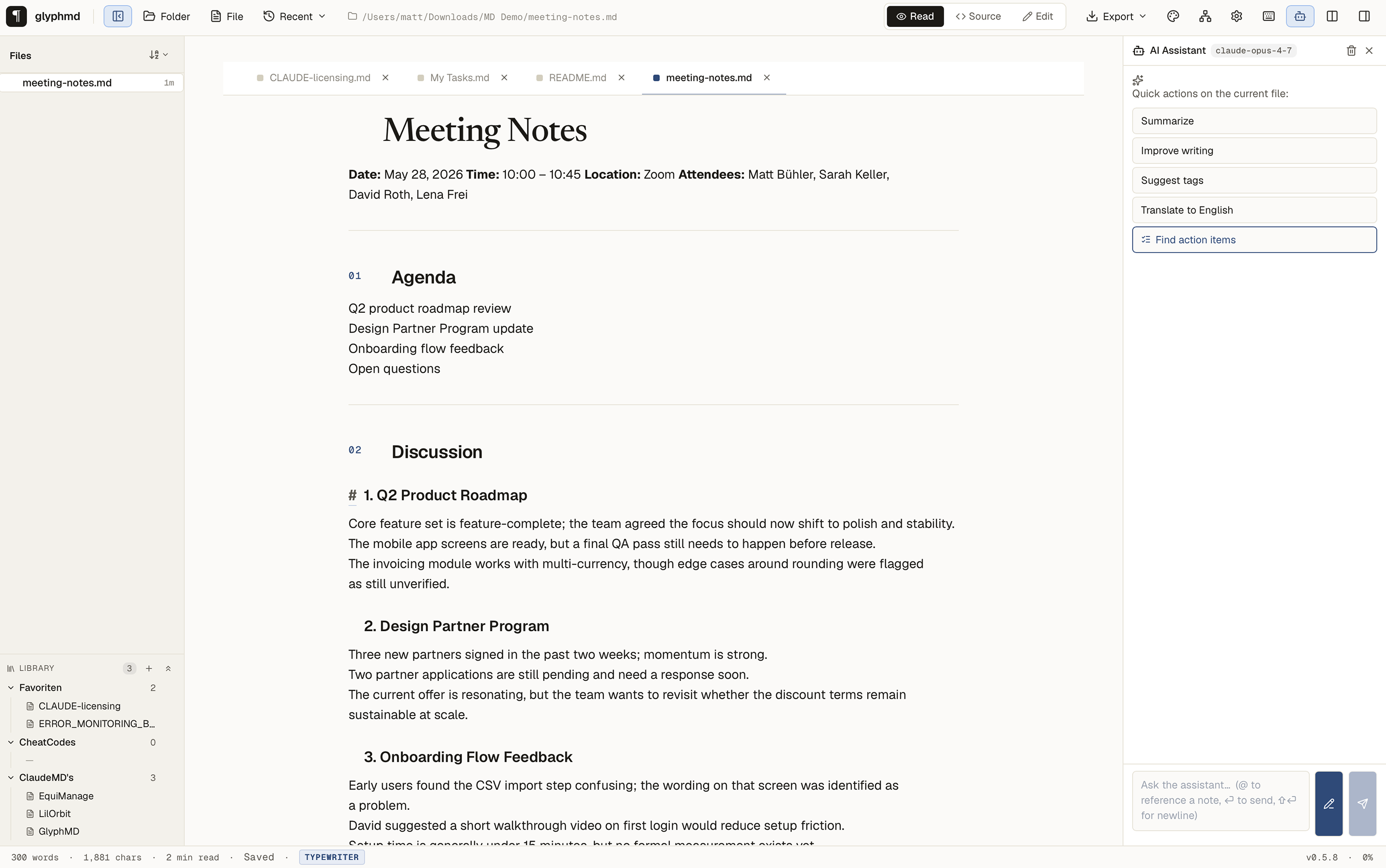
Type-forward. AI-native. Local-first.
glyphmd is built on Tauri 2 — Rust core, system WebView frontend. Starts faster than Notion's loading screen, eats less RAM than an idle Slack tab, and sends no telemetry.
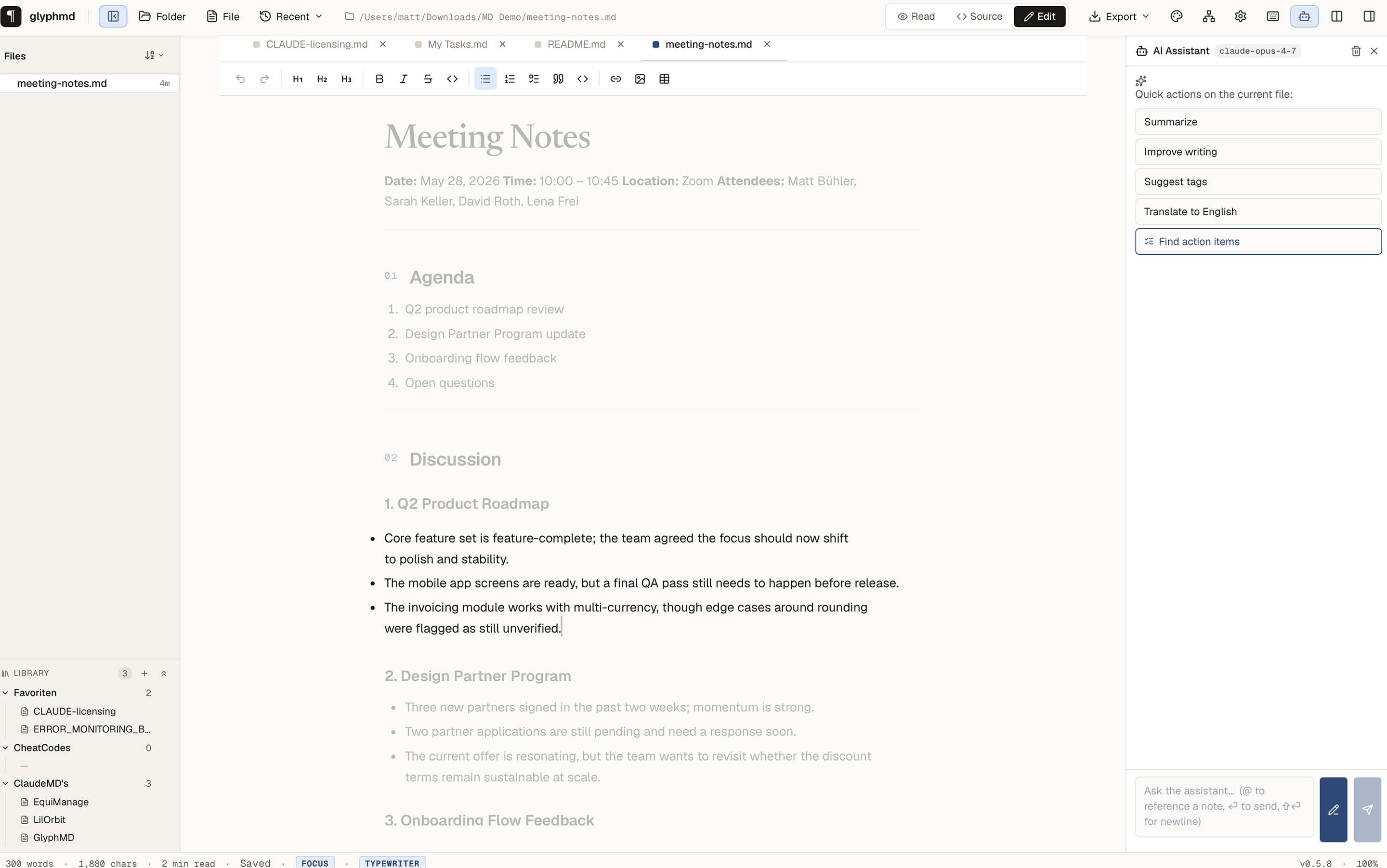
Dim the noise around the sentence you're writing.
Toggle Focus Mode with ⌘⌥F and every paragraph except the one your cursor sits in fades to 30% opacity. Pair it with ⌘⌥T Typewriter Scrolling and the active line stays pinned to the vertical centre of the editor while the text flows past underneath. iA Writer territory — without the iA Writer subscription.
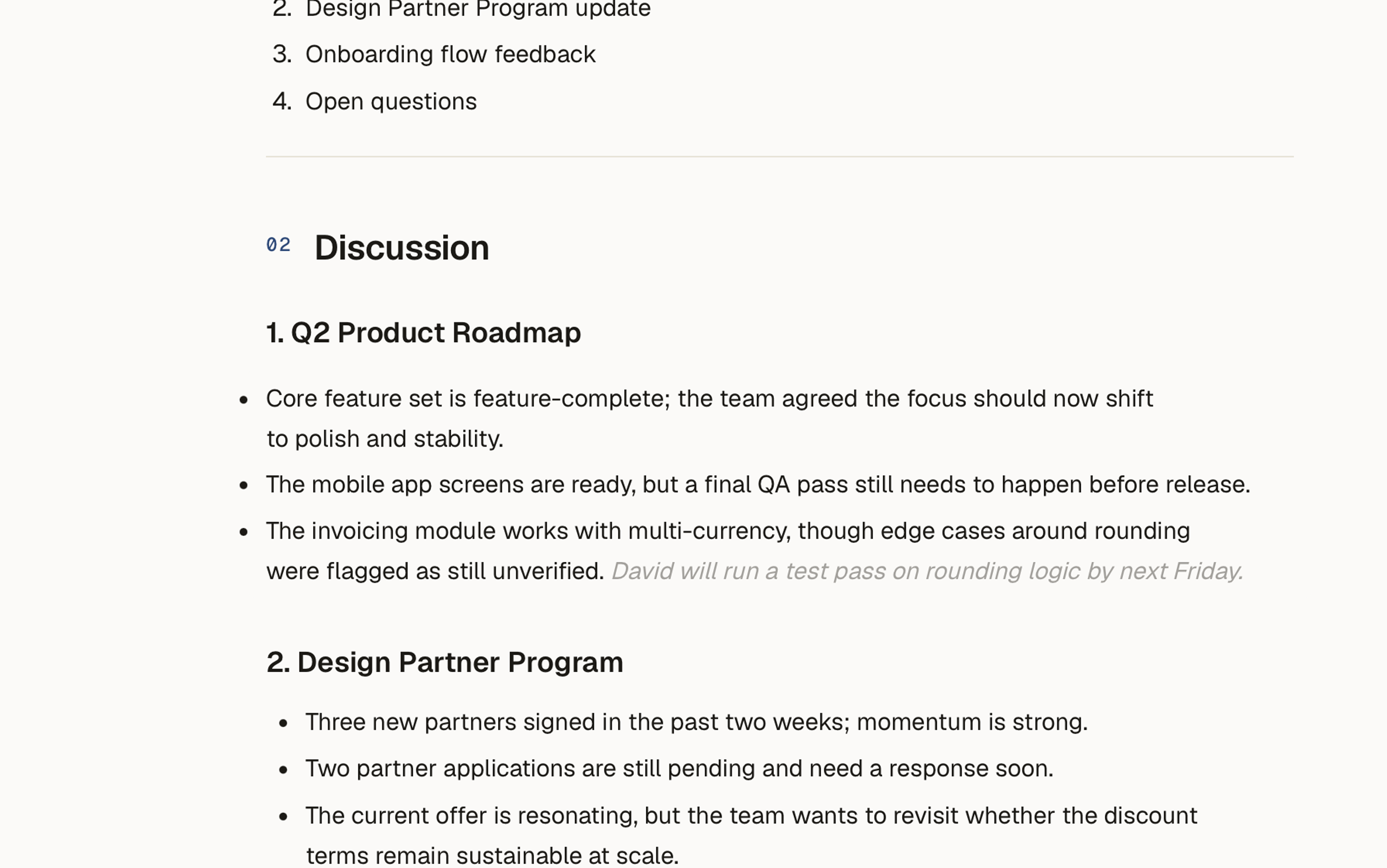
Ghost text that respects your voice.
Pause typing for a second and Claude proposes the next clause as faded grey inline text. Tab accepts. Any other key dismisses. The model sees your file as context, never sends it anywhere except the provider you chose — Anthropic with your key, or Ollama on your own machine.
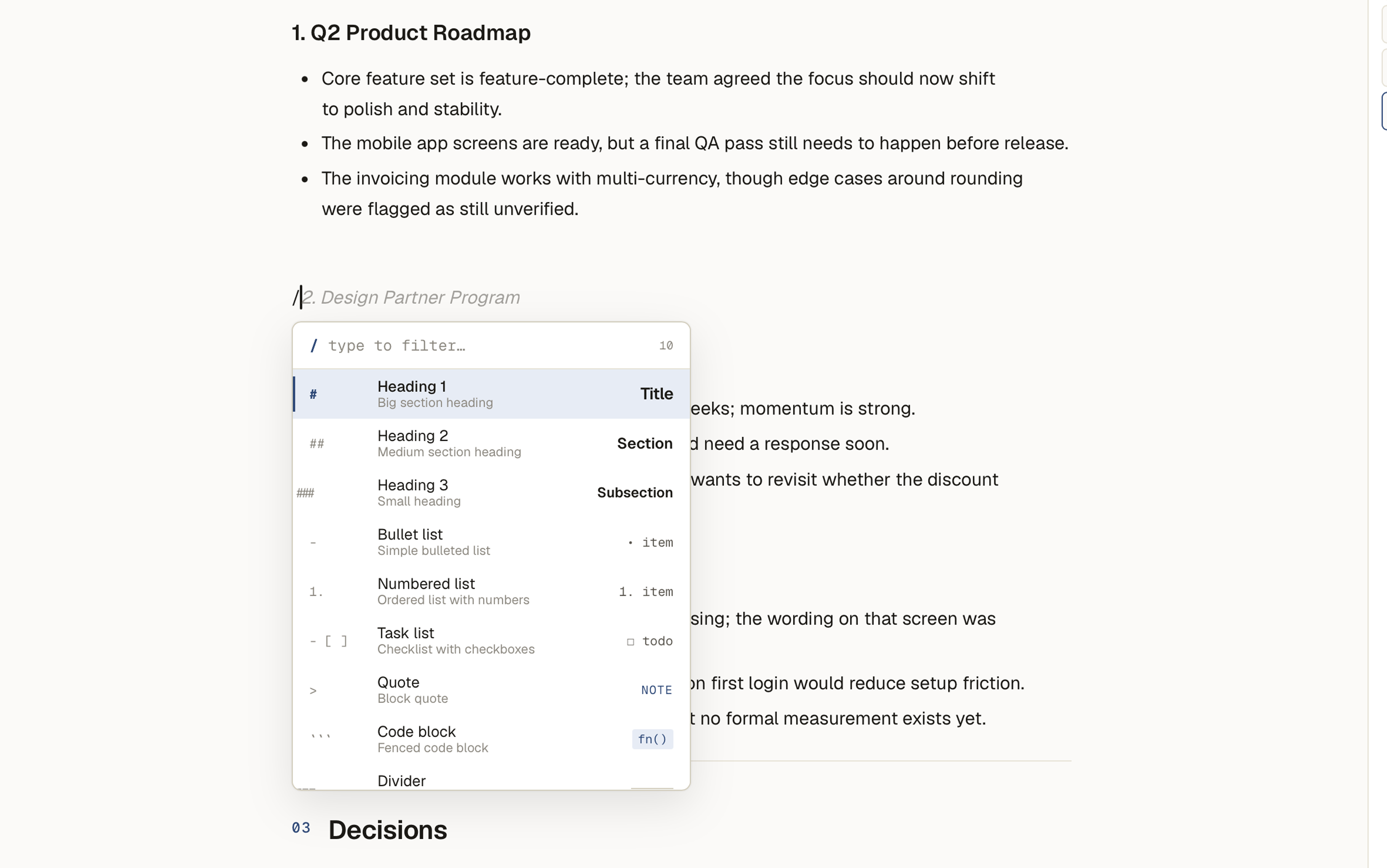
Markdown shorthand, with a typeset preview.
Press / and you don't get Notion's icon zoo — you get the actual markdown shorthand on the left and a real typeset sample of the result on the right. The fastest way to memorise markdown is to be shown it.
A chat that reads — and rewrites — your notes.
Reference other notes with @, send the conversation to Claude or a local Ollama model, and apply the response as a patch with one click. Switch on edit-mode and the model returns structured find / replace diffs you can accept individually.
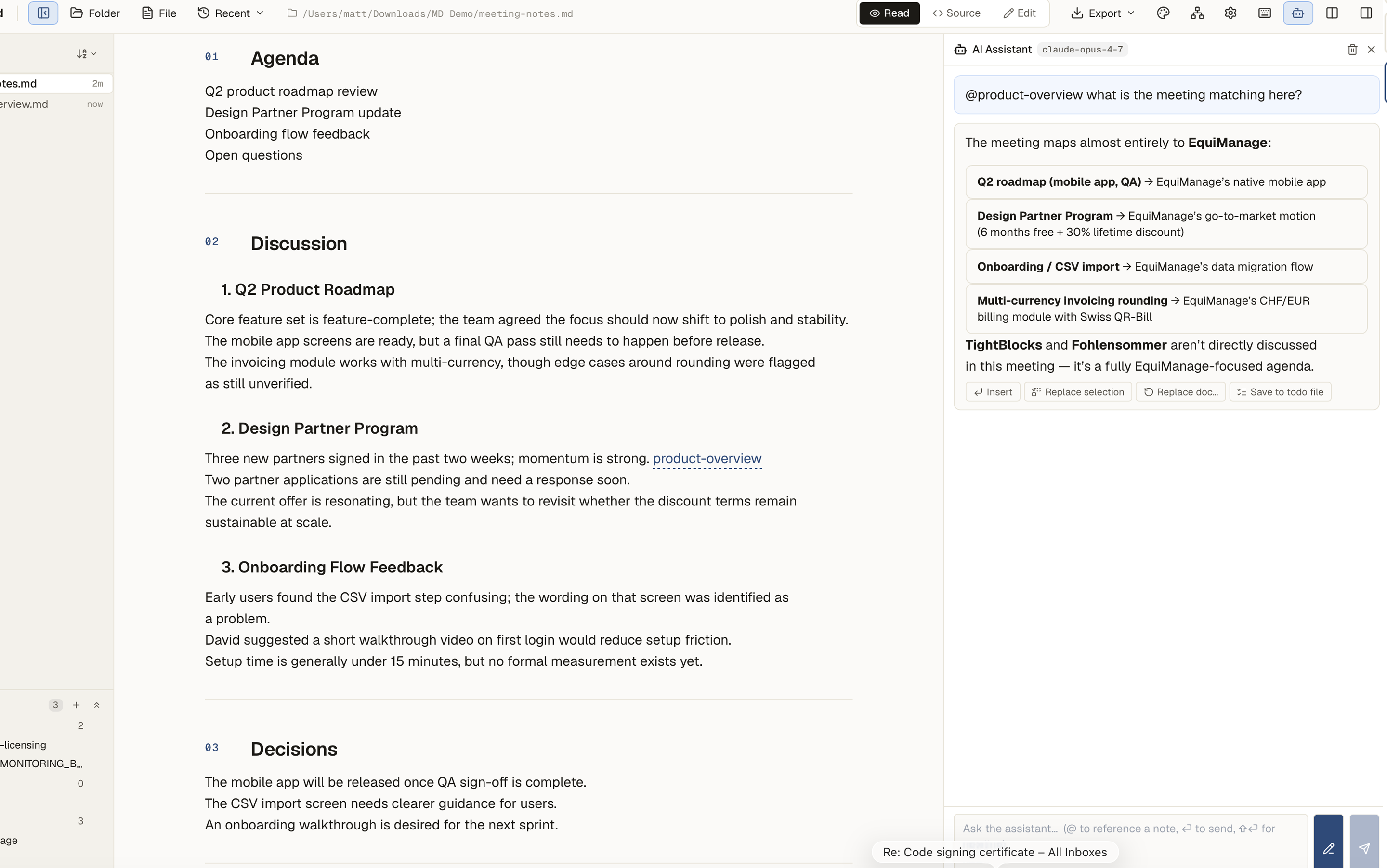
[[notes]] that hover.
A vault-aware picker on [[ opens a fuzzy list of every markdown file. Hover any wikilink anywhere — even in AI chat output — and the first paragraphs of the target pop up. 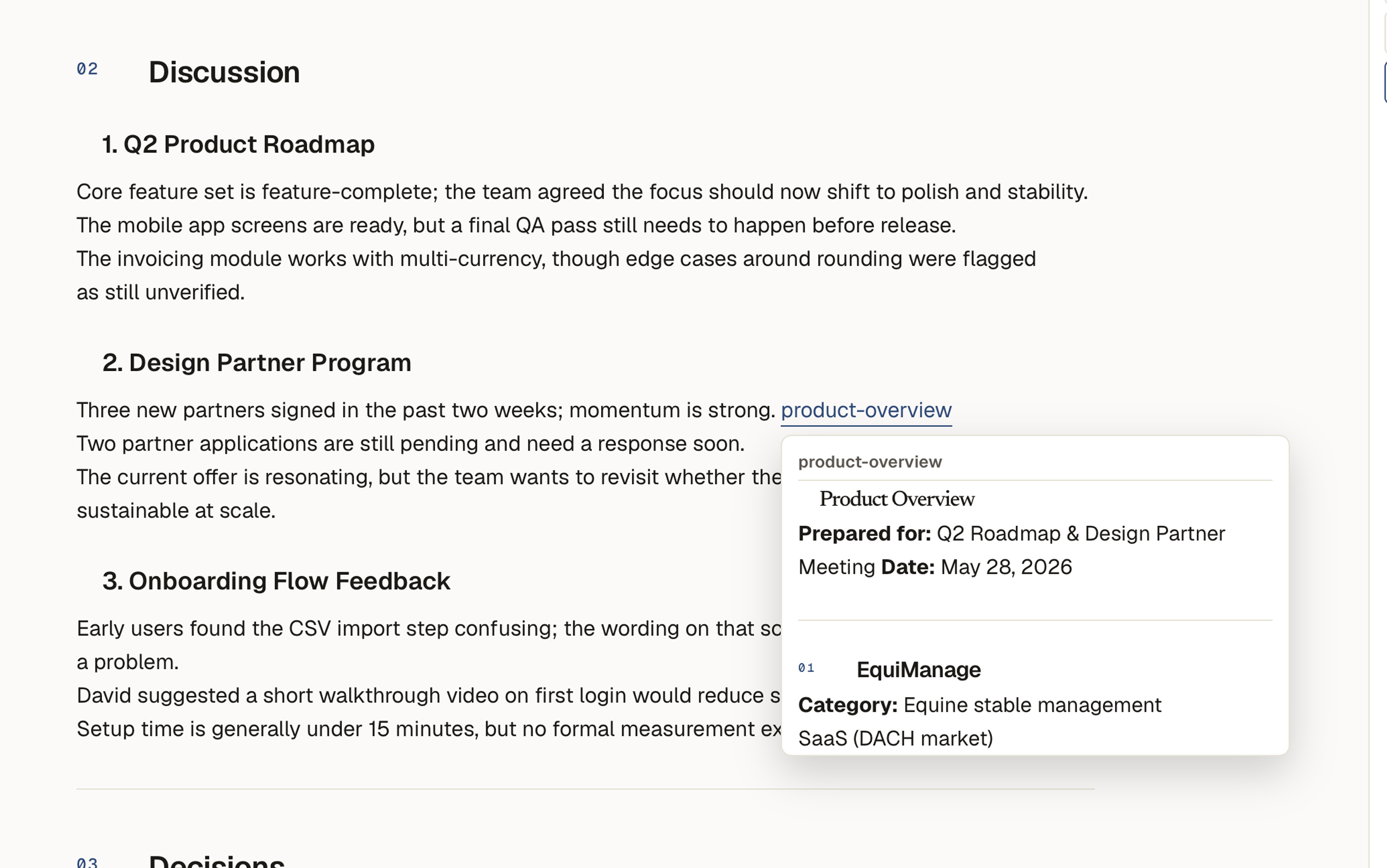
Pastes from Word, Excel, Wikipedia — that don't break.
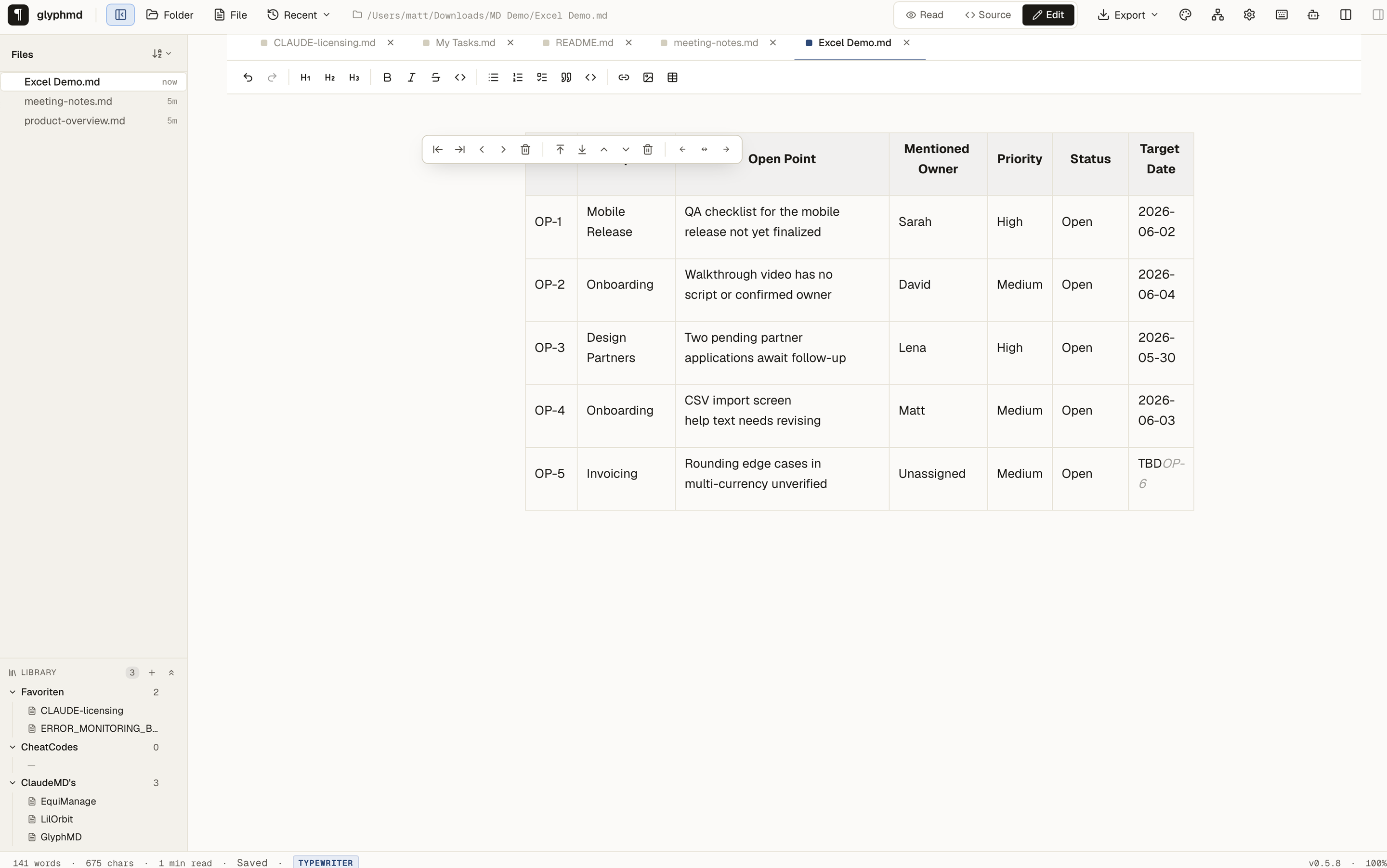
Office HTML, Wikipedia tag-soup, GitHub tables, screenshots — paste them all and get clean markdown out. Word's bullet glyphs become task lists, Excel ranges become GFM tables, MS-Office cruft is stripped before Tiptap parses. Optional one-click AI pass restructures the remainder. Strict prompt: never invents, paraphrases, or translates.
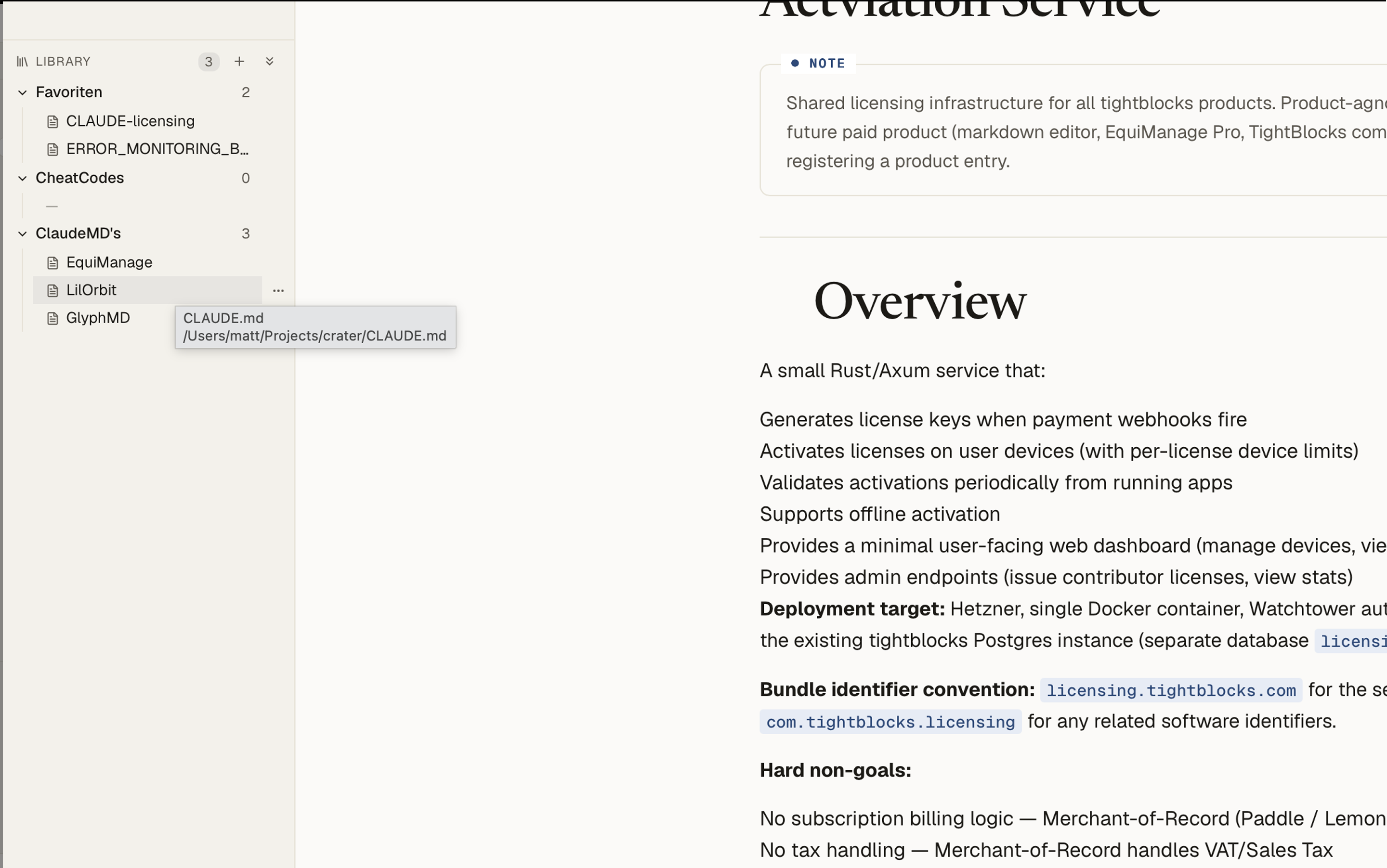
Hand-curated bundles of notes — from anywhere on disk.
Make named areas like "Rust cheatsheets" or "client work", drag files in from the file tree, rename and reorder. Files live where they always lived; the area is just a sorted list of references. Atomically saved to a single JSON in your app data folder — no database, no crawler, no telemetry.
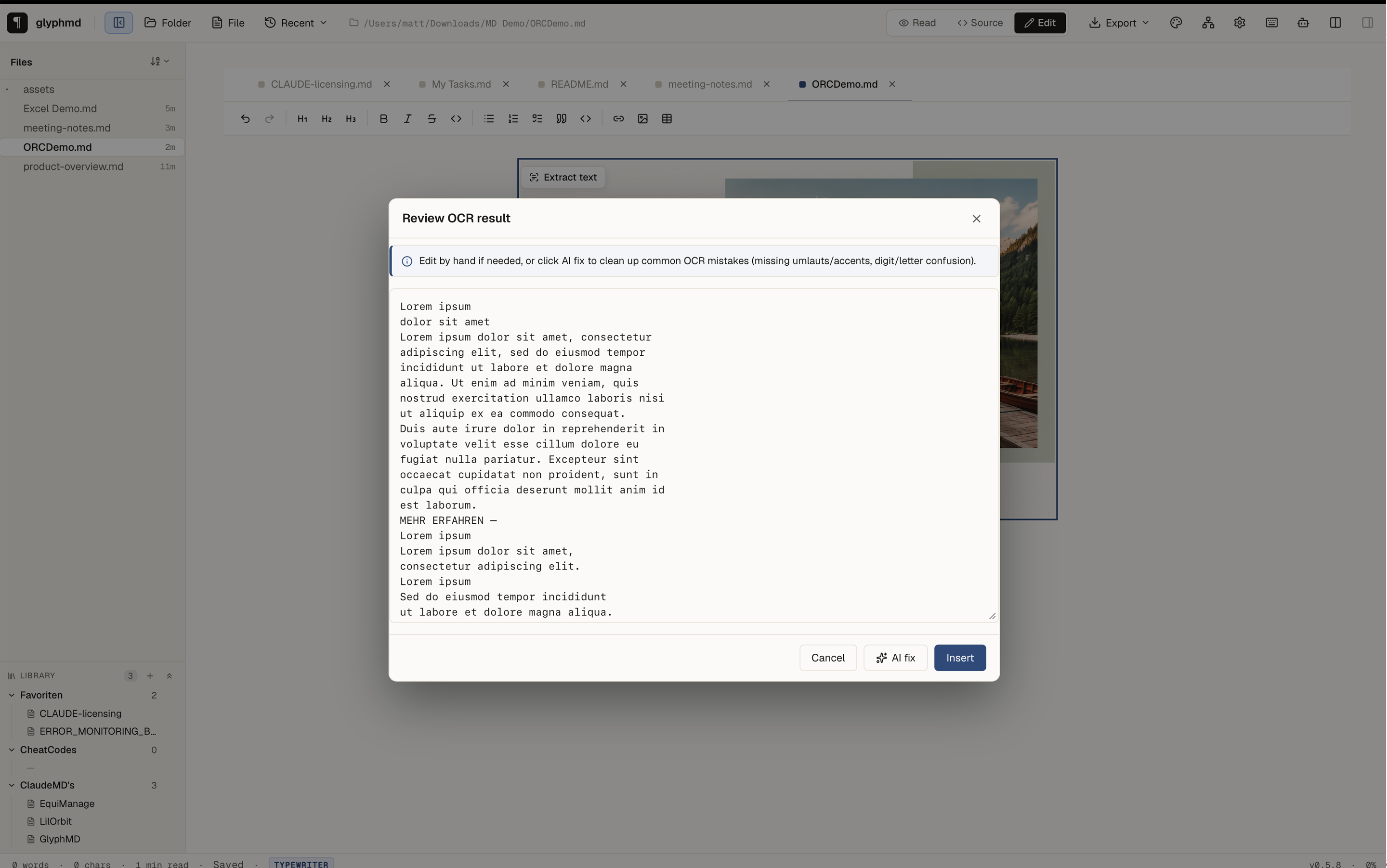
Screenshots to text, on your machine.
Paste a screenshot or click any embedded image in the editor and extract the text into a new paragraph. macOS uses Apple Vision — multilingual, no download, umlauts and accents handled natively. Linux uses a pure-Rust local engine (download is explicit, ~30 MB). Editable review modal with an optional AI-fix button for the harder character-level errors.
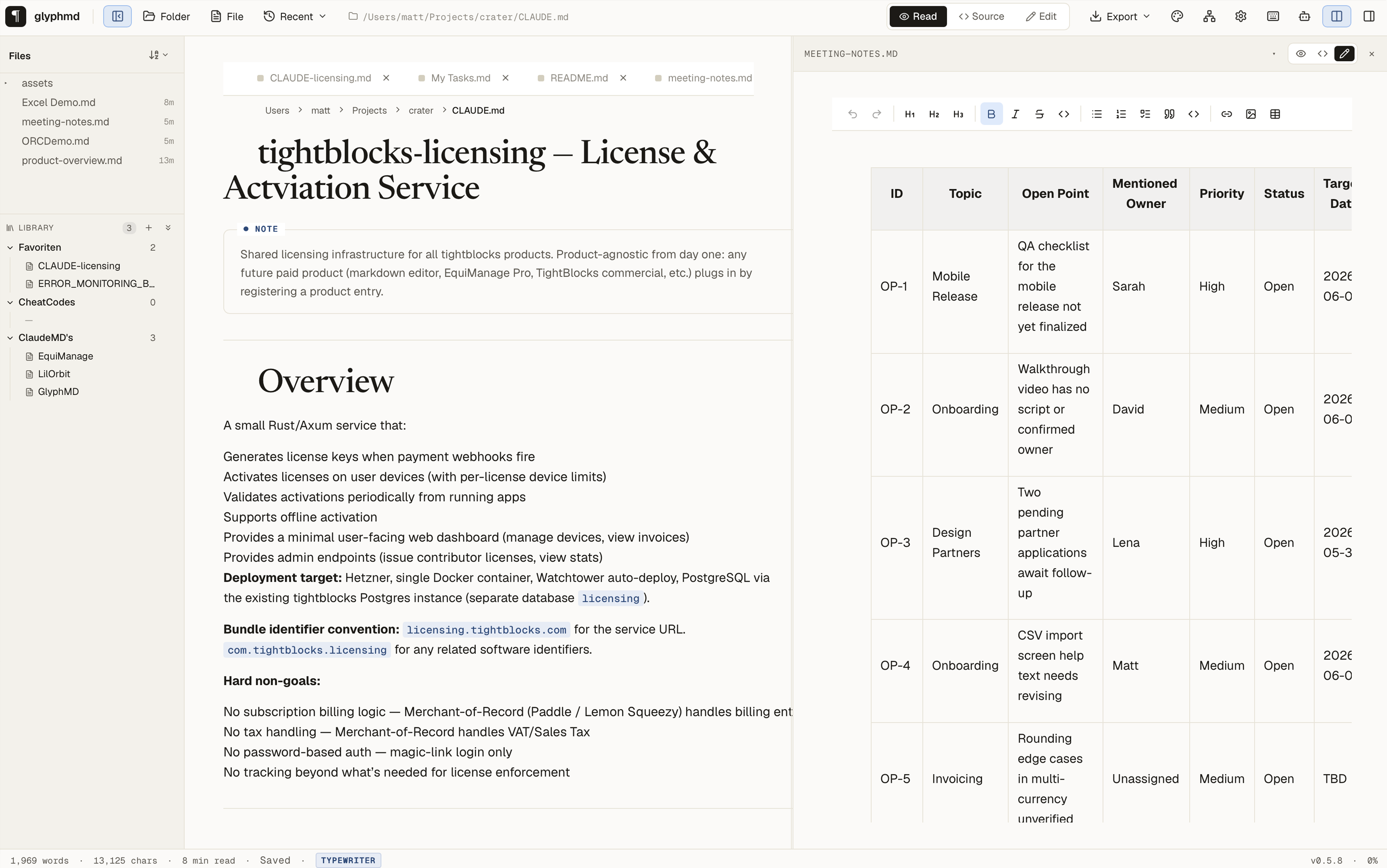
Two files, side by side — both editable.
Reference one note while writing another. Each pane is an independent editor with its own mode (rendered / source / edit), so you can keep one file as a clean rendered reference while you edit markdown on the other side — or edit both at once. Drag the divider to resize. Three ways to pick the side pane's file: the fuzzy picker on the Columns icon in the topbar, the filename in the side pane's header, or Cmd-click any tab.
Link to a single paragraph — not just a file.
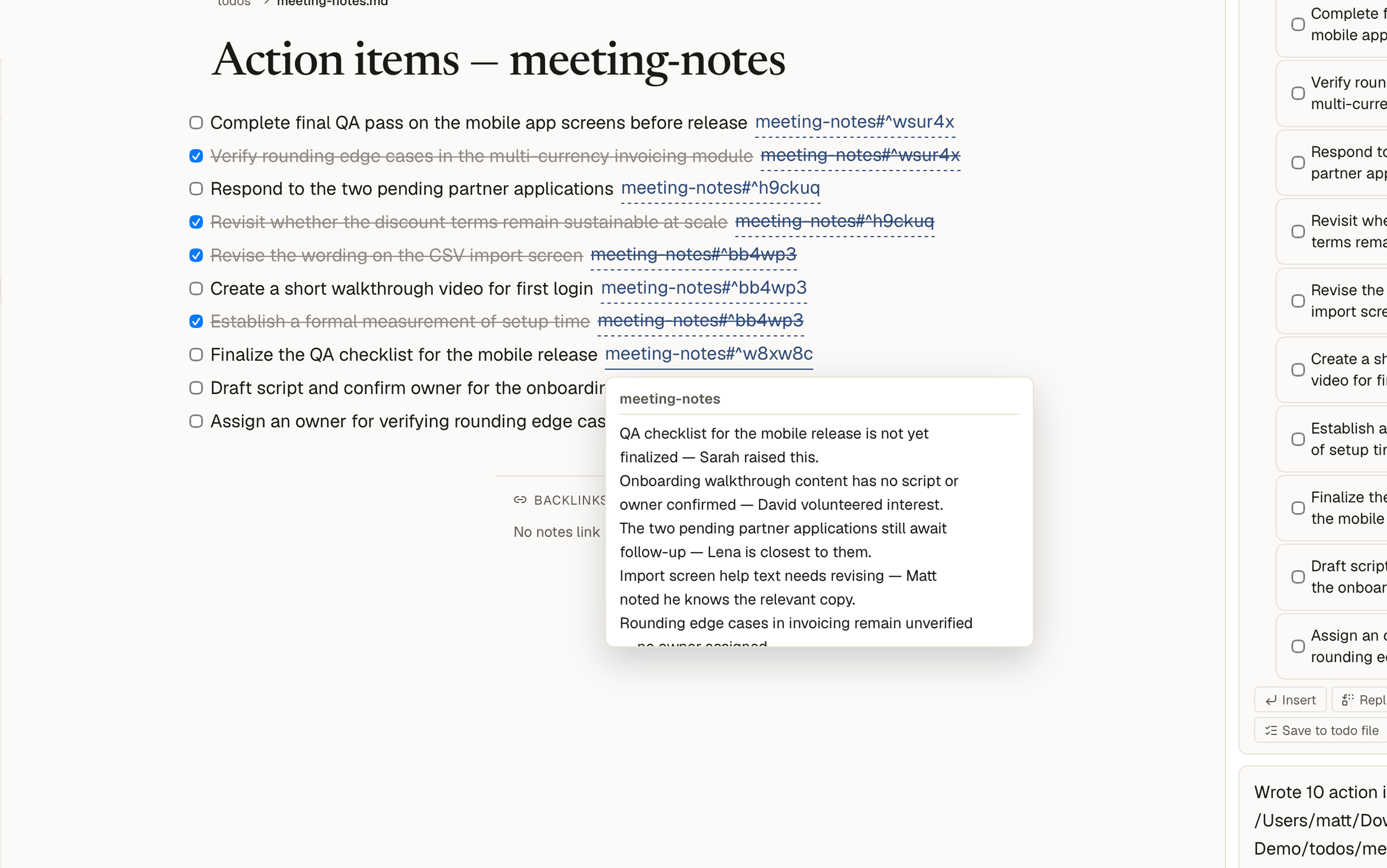
Drop a `^id` marker at the end of any paragraph or heading and the block becomes addressable. From anywhere in the vault, `[[note#^id]]` jumps straight there — the target file opens, glyphmd scrolls to that block, and the line briefly flashes so you see where you landed. Files stay plain markdown; the marker is just text outside glyphmd, an anchor inside it.
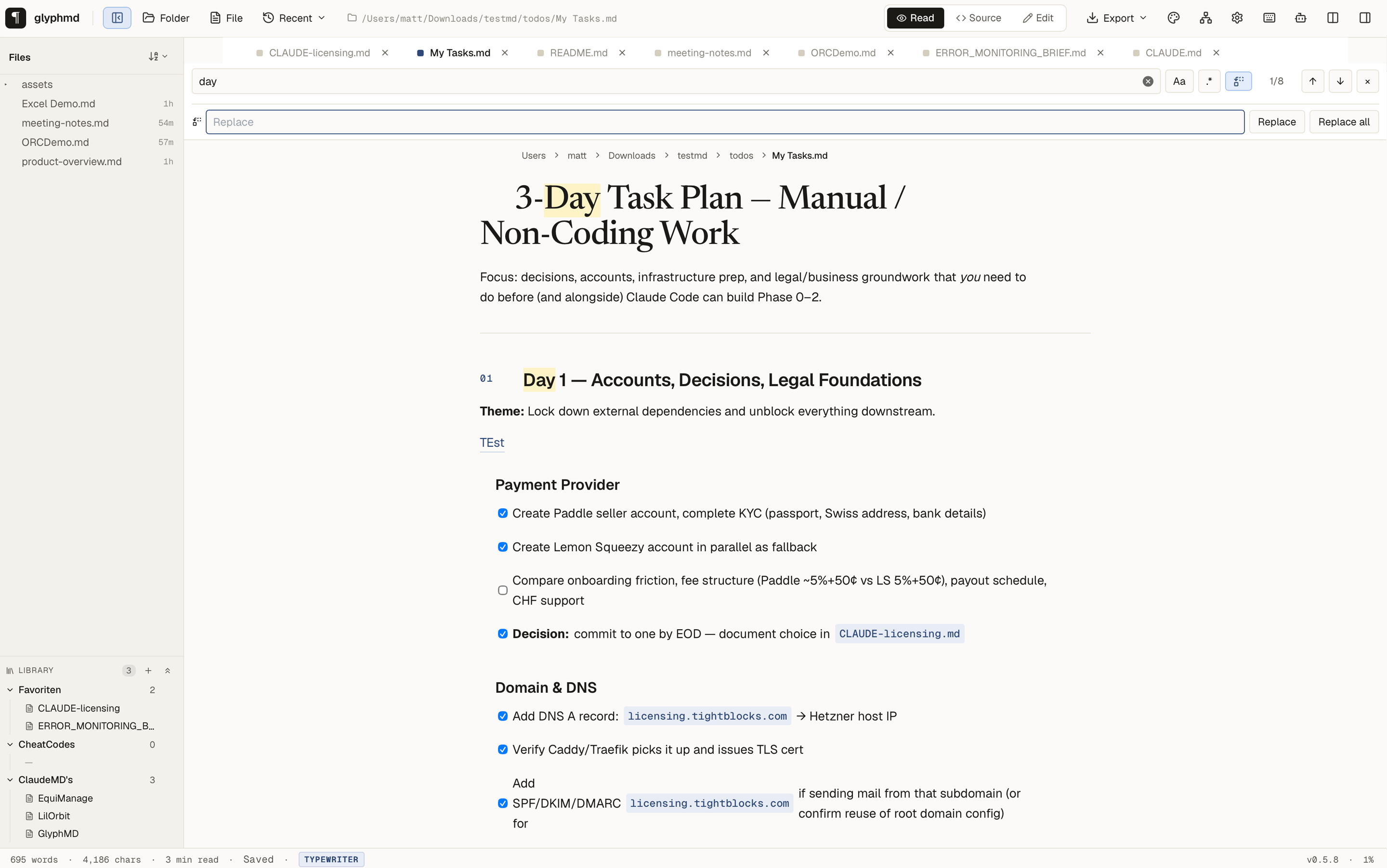
Rename a concept across every note in three clicks.
Open vault search (⌘⇧F), type the term, toggle the Replace icon, type the new term, hit Replace. Native confirm dialog tells you exactly how many occurrences in how many files — no surprises. Atomic per-file writes so a crash mid-batch can't half-rewrite a file. UTF-8-safe, so renaming „Größe" → „Size" works the same as ASCII.
Stop starting from scratch.
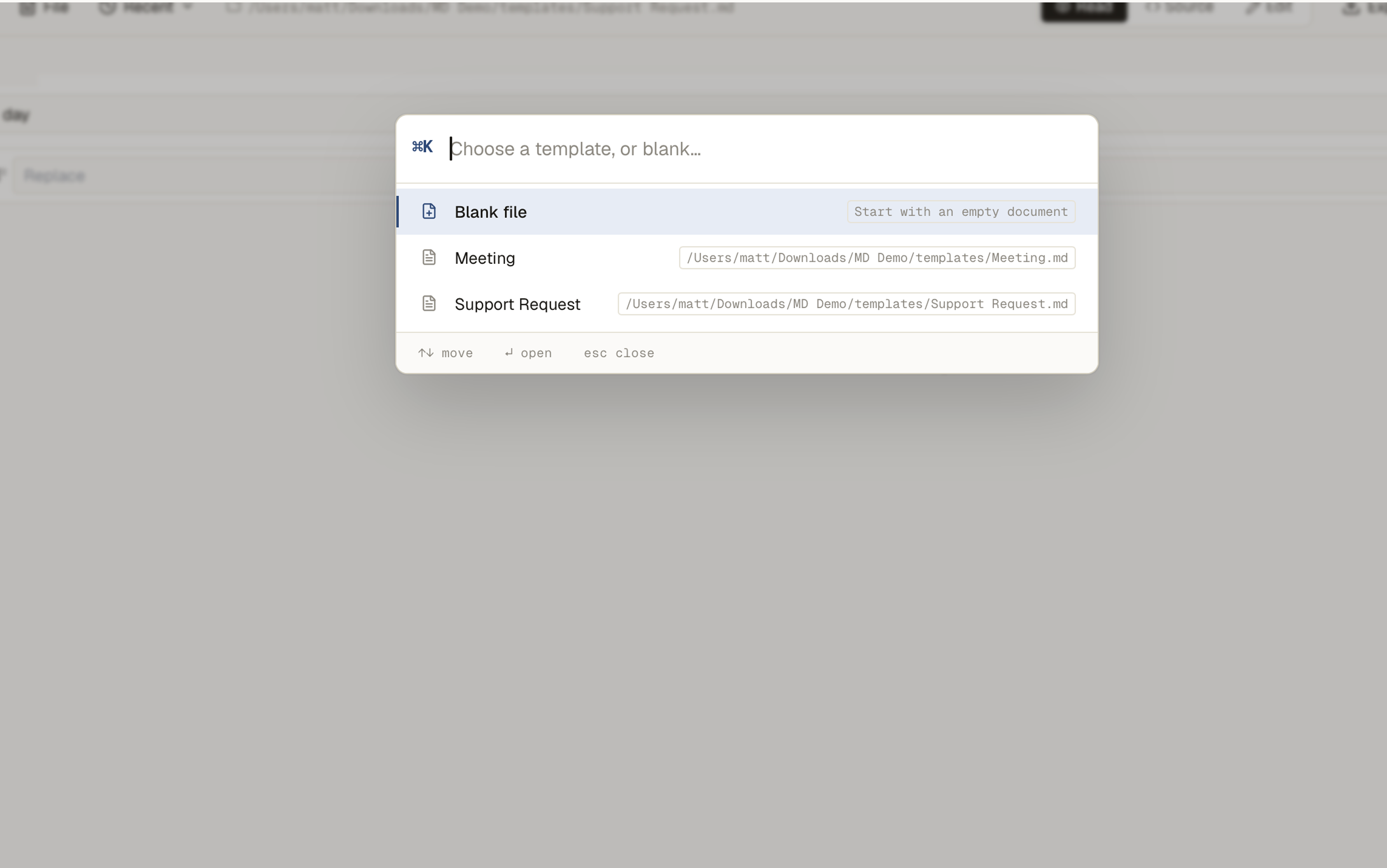
Drop any markdown file into your templates folder, sprinkle in `{{date}}`, `{{time}}`, `{{title}}` placeholders, and ⌘N becomes a smart picker: blank file or any template, scoped to the right folder. Right-click any folder in the tree → New file → same picker, file lands inside that folder. Daily notes get their own template slot in Settings — open today's note and the structure is already there.
Meeting notes in, plan with back-links out.
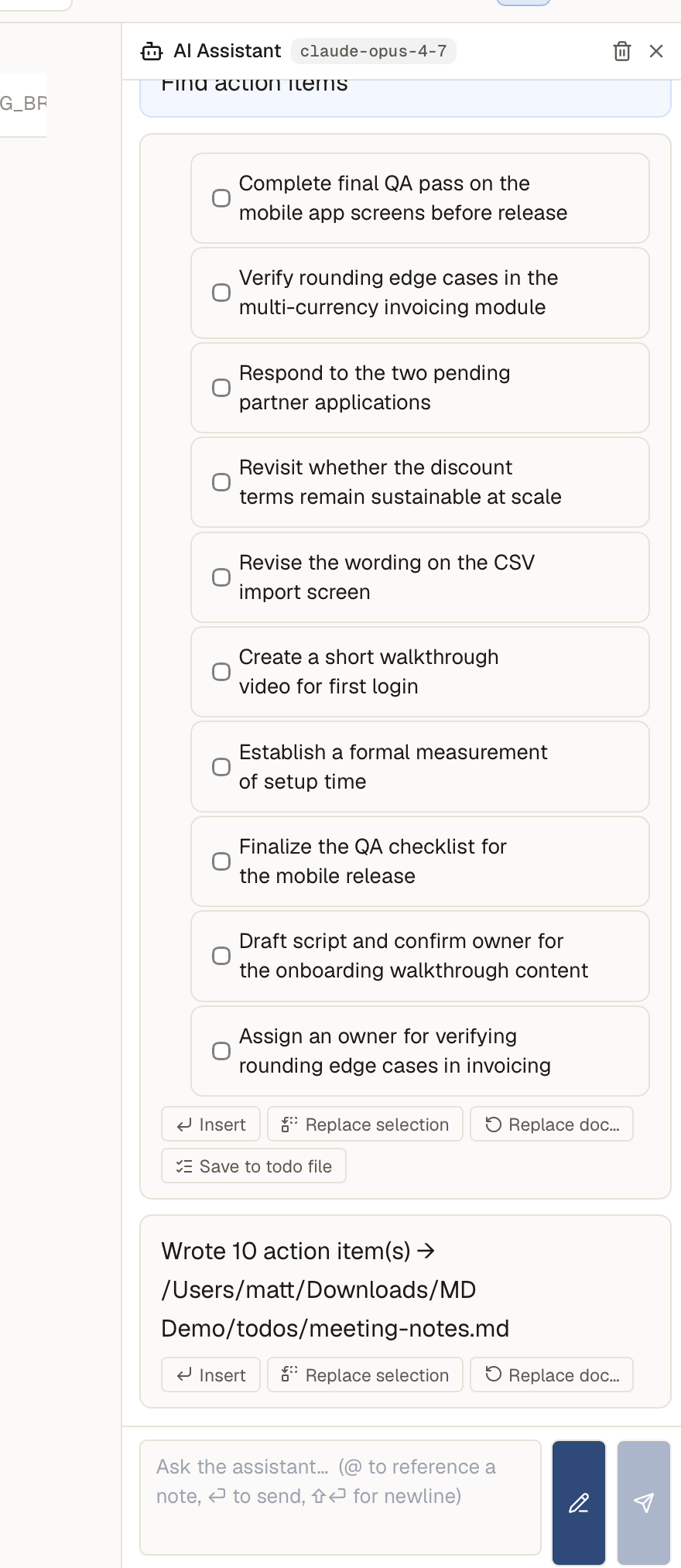
Click "Find action items" in the AI sidebar and Claude extracts every outstanding task from the current document, plus the exact source quote for each. Review the list in chat, hit "Create todo file", and glyphmd writes a sibling `todos/<name>.md` where every checkbox is a `[[source#^id]]` link back to the paragraph it came from — hover for context, click to jump (the source opens in the side pane, scrolled to the right block). Tick a box anywhere and the file tree's progress bar updates instantly. Free-form prompts work too: ask Claude for a 3-day plan, the response shows a "Save to todo file" button, plain bullets become tickable tasks on save.
Tickable plans, visible progress.
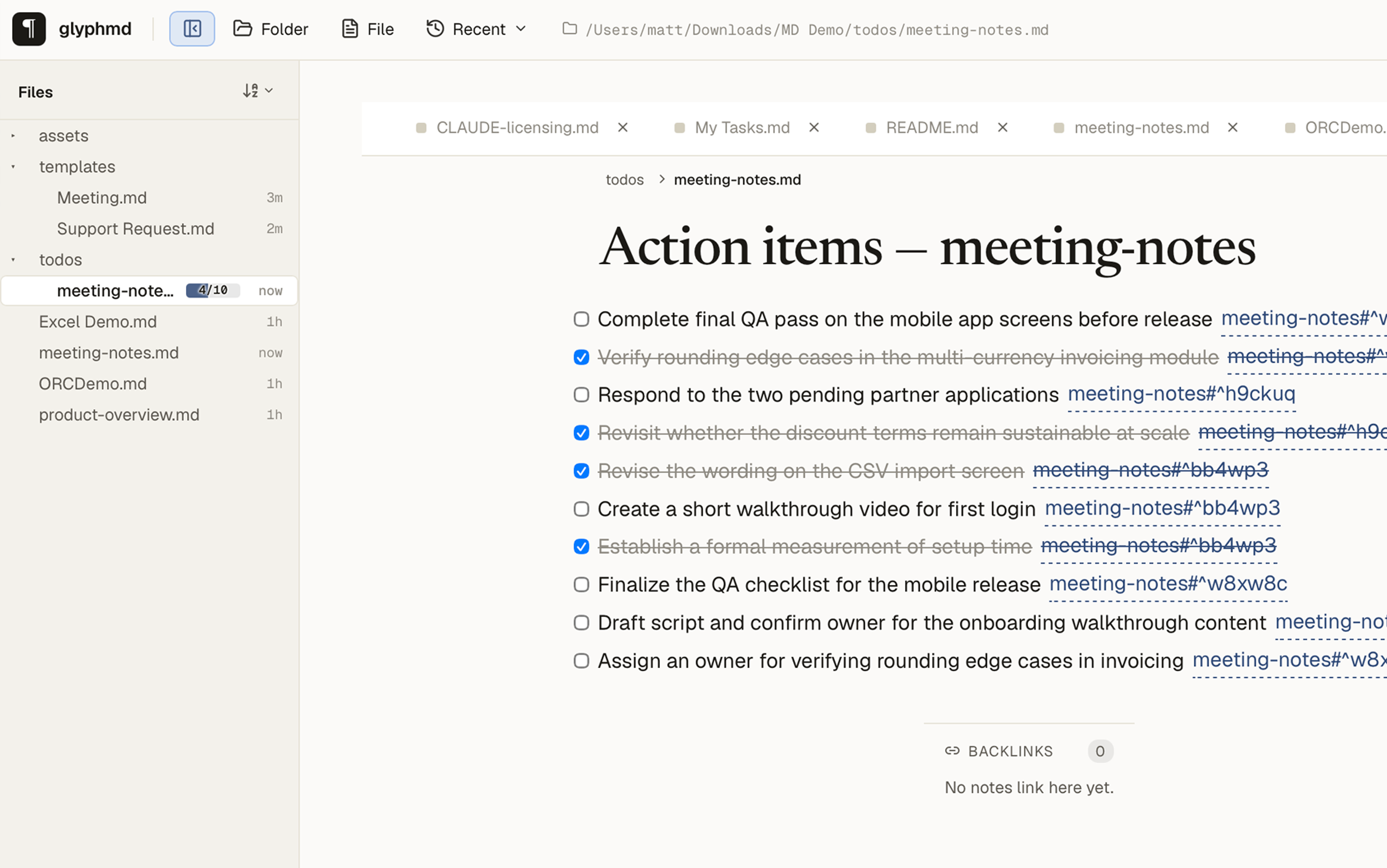
Every file in your todos folder gets an inline progress bar in the file tree — done over total, updated the instant you tick a checkbox. Glanceable, no extra clicks, no separate dashboard.
A note store your AI agents can write to.
glyphmd ships a local MCP server so coding agents — Claude Code, Cursor, Claude Desktop — can save markdown notes into your vault and find them again later. Notes land in agents/<agent-id>/ with frontmatter and show up in a dedicated Agents panel. Runs locally over stdio, or a shared loopback HTTP endpoint several agents reuse at once — no cloud either way. Paths stay confined to the vault and writes use the same licence gate as the editor.
{
  "mcpServers": {
    "glyphmd": {
      "command": "glyphmd-mcp",
      "args": ["--vault", "~/Notes", "--agent-id", "claude-code"]
    }
  }
}Small features that show up every day.
Three views, one shortcut.
Flip between rendered preview, raw markdown source, and Typora-class WYSIWYG with a single ⌘E. The viewer is read-only, the source editor is your fall-back for awkward edits, edit-mode is everything in between.
Auto-save, never anxious.
Two seconds of stillness and the buffer is on disk. The status bar shows ● Unsaved while you type, returns to Saved the moment the write completes. No save dialog, no surprises, no lost paragraphs.
Review before AI overwrites.
When you ask Claude to rewrite a whole document, a side-by-side line diff appears first. Green for additions, red for cuts, ⌘↵ to accept. Nothing destructive happens without a glance.
Paste an image, vault it.
⌘V a screenshot, drag a file from Finder — glyphmd writes it to assets/<doc>/ and inserts a relative markdown link. Portable, version-controlled, no external image host.
Eleven languages, live switch.
Interface ships in English, German, French, Spanish, Italian, Portuguese, Romanian, Russian, Japanese, Korean and Simplified Chinese. Detects from your OS, switchable at runtime in Settings — no relaunch, no reload.
Find & replace with regex.
⌘F opens a native overlay with case-toggle and full regex support. Highlights every hit in the rendered viewer, ↵ jumps the next, ⇧↵ the previous.
Frontmatter, properly typeset.
YAML metadata at the top of a file renders as a row of mono uppercase chips above the H1 — phase, status, word count, last-saved-ago. No ugly definition list, no separate panel.
Block transclusion.
![[ picks any note (or section heading inside it) and embeds its rendered content inline. Change the source, the embed re-renders. Notes become composable.
Highlight what AI just wrote.
Every AI insertion — whether from the chat sidebar, the inline bubble, or an accepted ghost-text suggestion — briefly flashes yellow so you see exactly what changed.
Outline with depth-rules.
The right-rail outline draws thin vertical rules per heading level and ramps weight from h1 (semibold) to h3 (regular). Click any line to scroll, or filter the panel from a single input.
Type-forward slash menu.
Notion's slash menu, but instead of icons, every row shows the actual markdown shorthand (## , - [ ] ) on the left and a typeset sample of the result on the right. Built for people who know markdown.
Local-first, by design.
Plain .md on disk. No proprietary store, no sync server, no account. The only outbound traffic is the AI calls you explicitly trigger — and they bypass us entirely, going to Anthropic with your key.
Built so the editor doesn't make you wait.
Numbers measured on an M1 Mac, single 10 KB file open. Tauri 2 + Rust on the backend, lazy-loaded Shiki / KaTeX / Mermaid on the frontend. No bundled Chromium, no Electron tax.
non-negotiableOpen it before the kettle boils.
Median of 10 cold launches on an M1 Pro. Time from open to first content paint. Bigger Electron-based competitors land anywhere from 800 ms to 3+ seconds depending on bundle size.
One price. One payment. Yours forever.
No subscription, no account, no telemetry. Try free for 30 days, then a single payment if you want to keep it.
- All current and future features
- 3 devices per license, transferable
- Activates once online, then works fully offline — no account
- 30-day refund, no questions
- Free updates within the major version
Buying for a team? Get in touch and we'll sort out volume licensing directly. support@matt-b.ch
After your trial ends, glyphmd stays installed and stays the default .md handler. File tree, viewer, vault search, outline, backlinks, navigation — all keep working. Editing, AI, and export sit behind the licence, with a one-click path back whenever you're ready.
Pick your platform.
macOS DMGs are signed with an Apple Developer ID and notarised by Apple, and Windows builds are signed with a code-signing certificate — no Gatekeeper or SmartScreen warnings.